Free rota planning for small teams
Rotas without the bloat.
StaffOP puts your weekly rota, time off and availability in one place. Drag shifts onto the week, publish it, and download the hours for payroll.
- No tracking: no analytics, no ads, no cookie banner.
- Staff join with a link: nobody asks them for an email address.
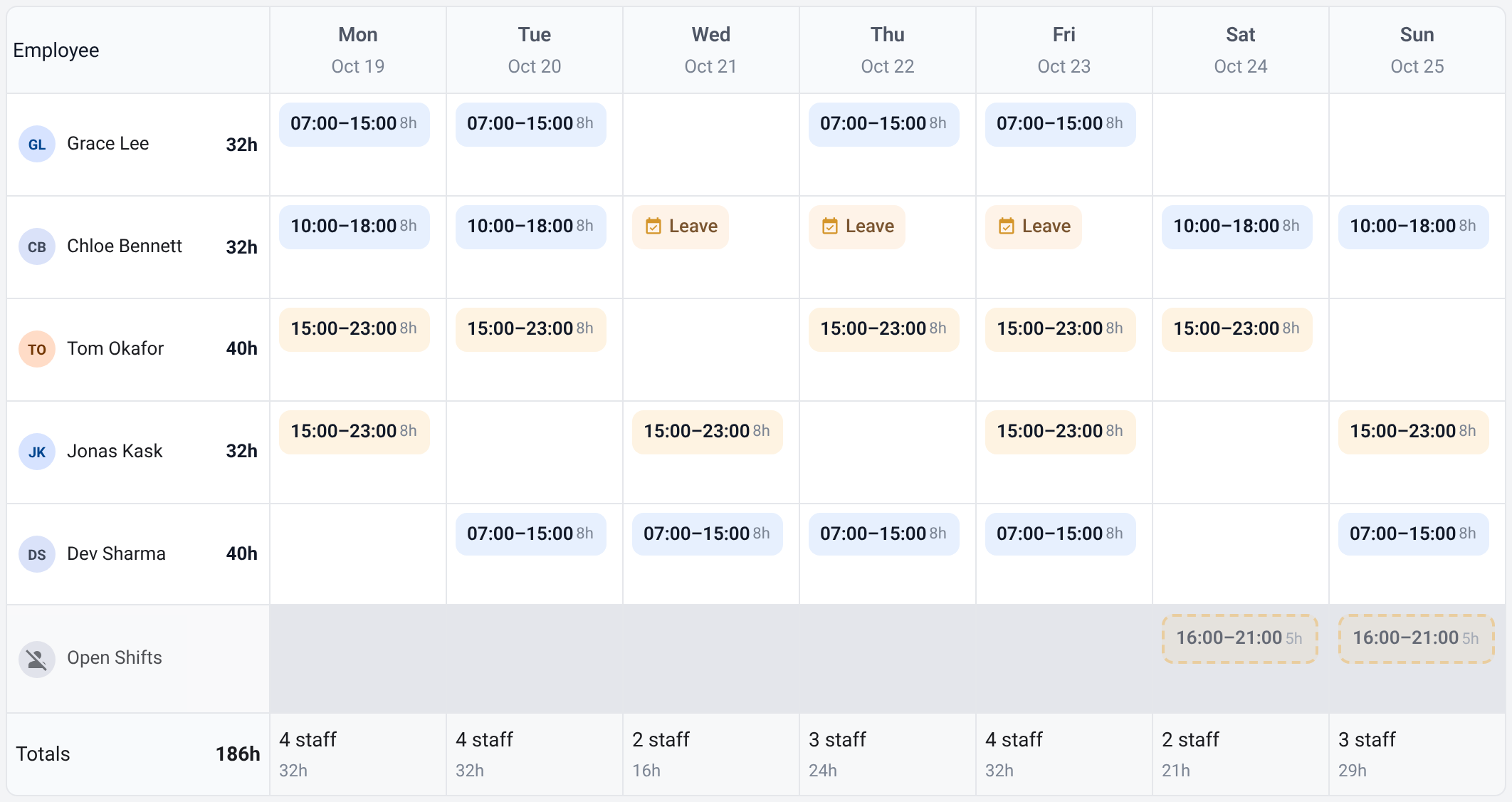
Week of 19 OctoberPublished
Mon 19
Tue 20
Wed 21
Thu 22
Fri 23
Anna32 h
07–15
07–15
07–15
11–19
Tom32 h
15–23
15–23
15–23
15–23
Priya24 h
11–19
07–15
11–19
Leave
Jonas32 h
11–19
11–19
15–23
07–15
What's different
Free, with no limits.
No paid plans, no limit on team size, no card details. Everyone gets the whole thing.
Staff join with a link.
An admin adds a person by name and gets a one-time link to share however they like: chat, paper, a QR code. The person picks a username and a password. Nobody asks them for an email address.
Nothing tracked.
No analytics, no ads, no cookie banner. There is nothing to consent to, so nobody asks you to.
Small on purpose.
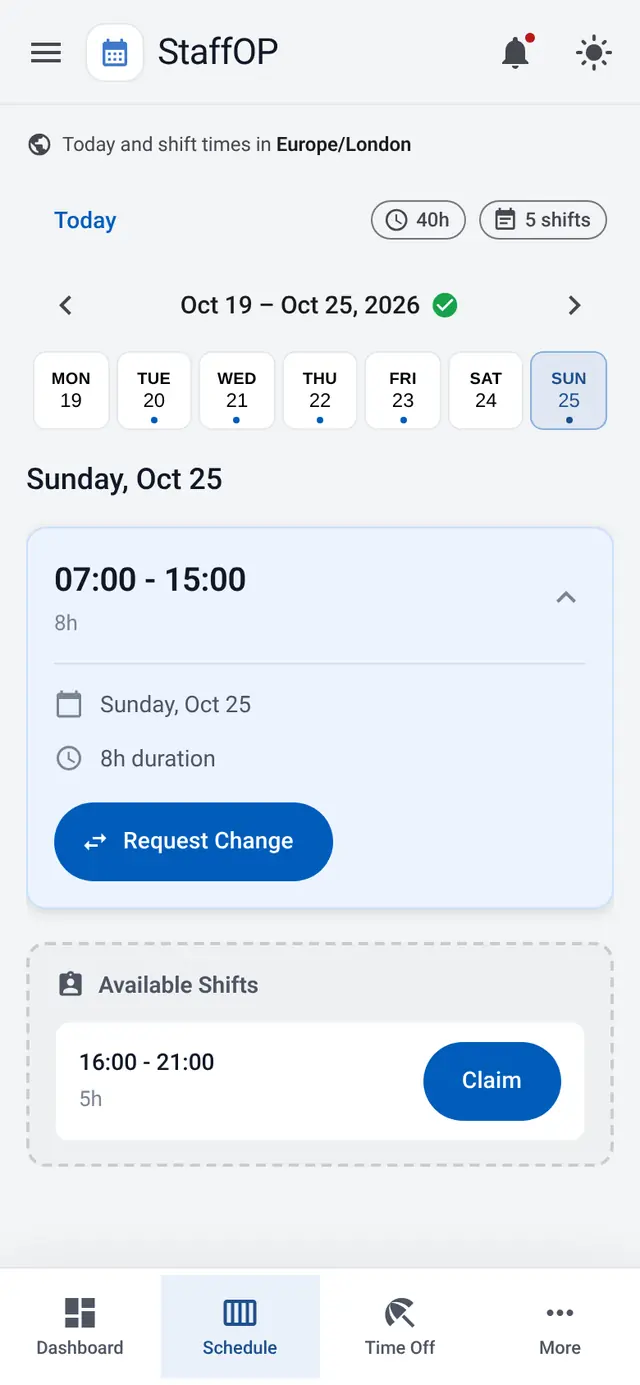
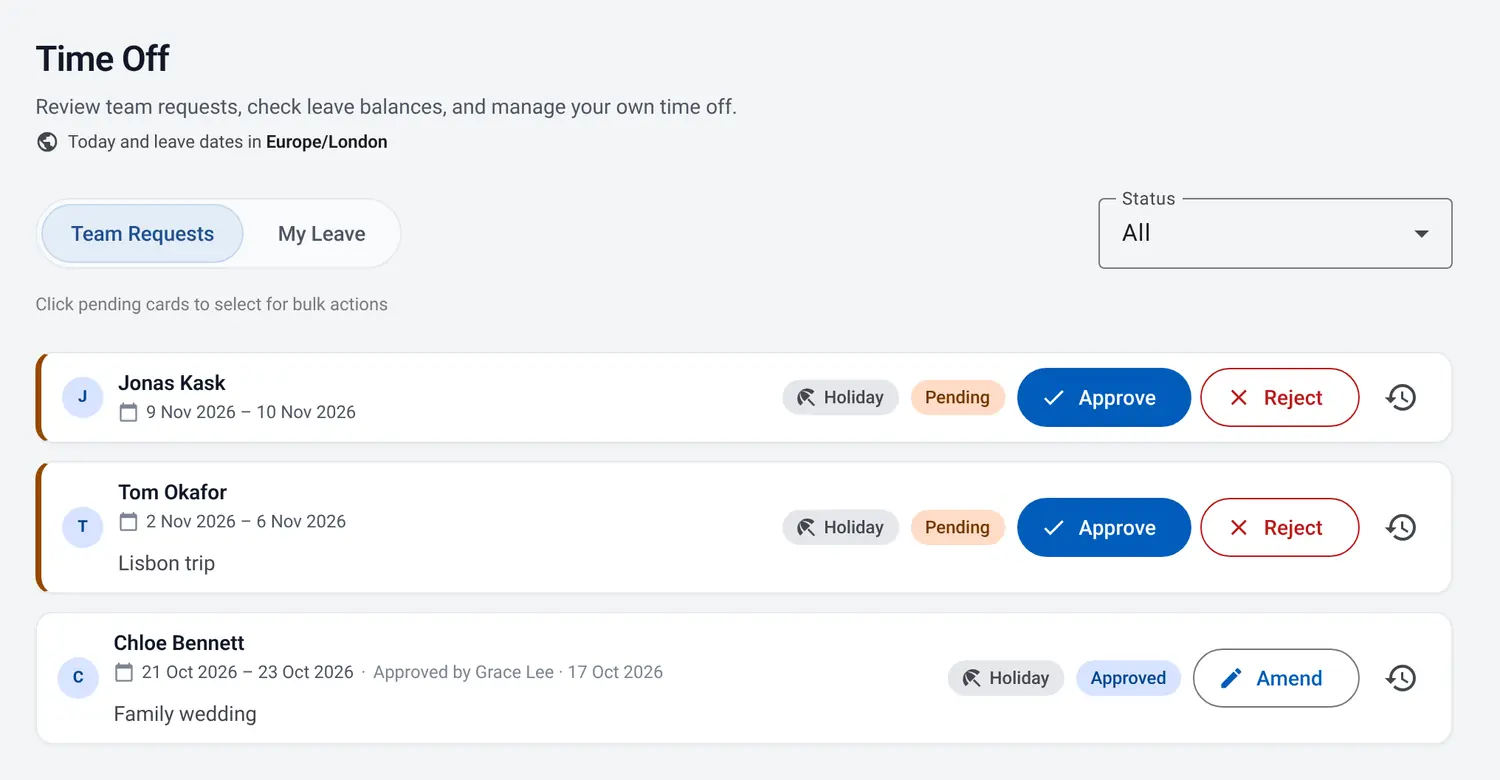
A weekly rota and what goes with it: time off, shift swaps and the hours for payroll. No modules to set up and no sales calls.
See it in action
Also included
- Shift swaps
- Availability
- Leave allowances
- Working-time warnings
- Payroll and hours downloads
- Calendar feed
- Close it, and everything is deleted
Three steps
Register your business.
A name for the business, a username and password for you, and a recovery email that is only ever used to reset your own password.
Add your team.
Add people by name and share their join link however you like. They pick a username and password.
Build the week.
Drag shifts into place and publish. When payroll comes round, download the hours.
Questions
Is it really free?
Yes. There are no paid plans, no limit on team size and no card details. The terms say it is provided 'as is', with no warranties.
Why don't you ask my staff for an email address?
Because StaffOP doesn't need one. People join with a link and sign in with a username and password; if someone forgets theirs, an admin makes them a new sign-in link. The only email StaffOP ever sends is the owner's password reset, to the address the owner types when asking for it, and the privacy notice says what happens to that address.
What do you do with my data?
Nothing, beyond running your rota. There are no analytics, nothing is loaded from other sites and nothing is sold on. The privacy notice lists what is kept, for how long and who handles it.
Who runs it?
The privacy notice says who runs StaffOP; for a question, an idea or a problem, write to privacy@staffop.com.
Does it send emails?
No, apart from the owner's password reset. Notices about shifts, time off and swaps appear in the inbox inside StaffOP.
How do I close it?
Only the owner can, in Business settings, with their password and the business's name. Everything about the business is deleted at once, its people's accounts included, and everyone is signed out, so download your payroll and hours first: the closing screen offers them. Backups linger for a few weeks and then go too; the privacy notice says how long.